
Tag Archive for: presentation


Modern presentations need to do more than deliver information. They must capture attention, encourage interaction and inspire lasting memories. Research shows that active learning, which involves participation and discussion, improves attentiveness and knowledge retention compared with passive listening. To make your next speech, seminar or workshop stand out, consider three technology-driven strategies that help presenters create meaningful and interactive experiences.

1. The Medium is Still the Message: Use the Right Tools

If the medium shapes the message, it is time to look beyond static slide decks. Interactive tools such as live polling apps, digital whiteboards and Q&A platforms invite the audience to become part of the conversation. Engagement thrives when communication moves from one-directional delivery to a dynamic exchange. Engaged audiences ask questions, react to ideas and absorb information more deeply. Studies show they are also more likely to remember key points and enjoy the experience.

Live polls and quizzes

Real-time polling lets speakers gauge opinions and adjust content as needed. Polls also break up slide-heavy presentations and ensure every participant has a voice.

Interactive Q&A platforms

Tools such as Sli.do or Poll Everywhere allow attendees to submit questions anonymously. This removes barriers for shy participants and encourages more inclusive dialogue.

Diverse media formats

Short videos, animations or graphic recordings can help re-engage audiences when attention begins to drift. Educational research supports the use of videos designed to manage cognitive load and increase understanding.

2. Ditch the Paper: Present with Tablets and Apps

Printed notes can slow you down and break your connection with the audience. Tablets offer a modern, polished alternative. Presenter Corey Quinn found that switching to an iPad improved mobility, eliminated the need for printed notes and provided a reliable backup if a laptop failed. He also noted that an LTE-enabled tablet removed dependence on venue Wi-Fi.

Presentation software

Apps such as Keynote, PowerPoint and Google Slides allow you to edit and present wirelessly. Cloud storage ensures your files remain accessible from any device.

Cueing and annotation apps

Digital note tools help you scroll through speaker notes, highlight key ideas and maintain eye contact with your audience.

Remote control tools

A Bluetooth remote enables natural movement on stage. Quinn recommends investing in a reliable remote for smooth slide transitions.

Tablets also signal a forward-thinking, environmentally conscious approach. A visual suggestion here would be a photo of a presenter confidently using a tablet instead of printed cue cards.
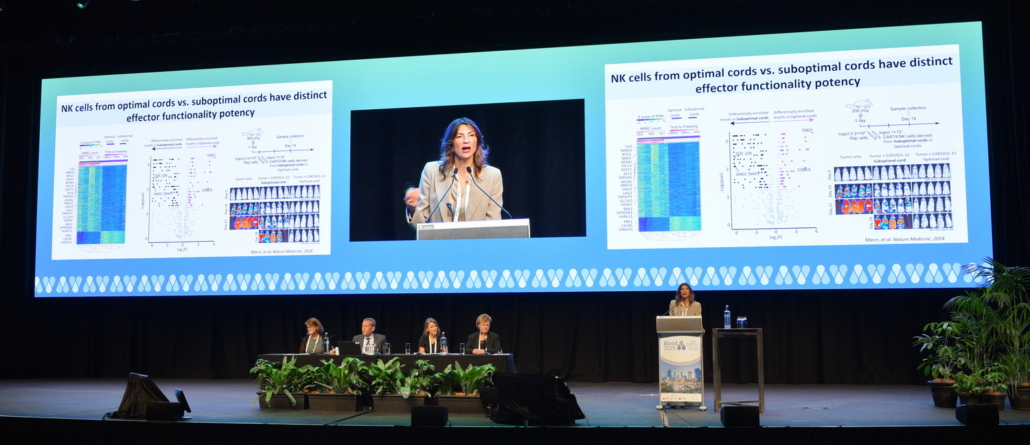
technology for engaging presentations in action at PCEC

3. Turn Audiences into Participants

Technology has changed how audiences interact before, during and after presentations. Event apps, live polling and social media allow attendees to become active participants.

Social media engagement

Encourage live tweeting with an event hashtag and show the feed on screen. Real-time sharing builds excitement and expands the reach of your session.

Audience response systems

Clickers or app-based response tools let attendees vote, answer questions or react instantly, keeping energy levels high.

Interactive event apps

Many conference apps include integrated polling and Q&A functions. Consult your AV team to learn which tools are available at your venue.

Workshops and networking

Small-group activities help attendees apply new ideas and connect with one another. These moments increase engagement and strengthen learning outcomes.

By planning engagement across all stages of the presentation, you transform passive listeners into active contributors. Interactive elements should always reinforce the message rather than distract from it.
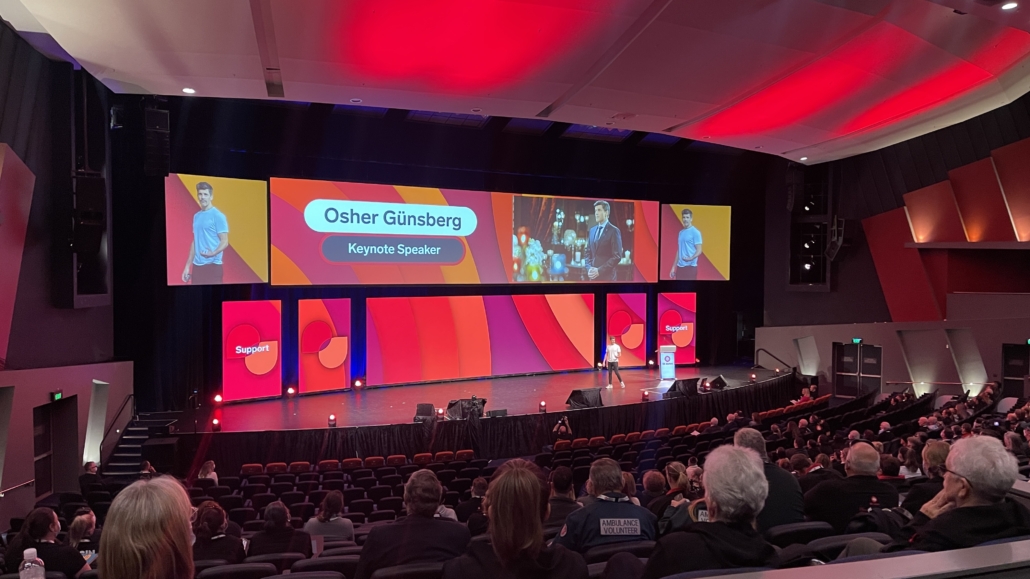
Osher Gunsberg, using technology for engaging presentations

Final Thoughts and Next Steps

When used thoughtfully, technology can turn a standard presentation into a memorable, interactive experience. Interactive tools encourage active learning and increase retention. Tablets streamline delivery and create a modern impression. Social media and audience response systems turn your talk into a conversation rather than a monologue.

To ensure everything runs smoothly, consult our event staging and audiovisual team well in advance. They can recommend the right tools, integrate them into your setup and provide on-site support.

If you are ready to rethink your next presentation, explore AVPartners multimedia services to discover how we can help you design engaging, technology-driven sessions that resonate with today’s audiences.

Contact Us Online & Hybrid Event Services Online Event Production Services

Live streaming has become a craze ever since the pandemic of Covid-19 has forced event organisers into alternative ways of holding their events.

The capability of live streaming has become hugely popular in recent years, especially for events that attract global attention. Live streaming offers people the opportunity to experience events, even if they can’t be there in person.

Perhaps you’ve considered live streaming your event, but you’re not entirely sure if it’s the right thing to do. Maybe you’ve thought, “Well, it could be great exposure, but then again who will purchase a ticket if it’s going to be live streamed for free?” This is a very sensible question to ask. Although there are many benefits to live streaming events, it’s important to consider whether it is right for your event. Some events thrive on exclusivity. Keeping an event exclusive might help with setting ticket prices, selling tickets, or attracting thought leaders. These events might benefit from being kept intimate instead of being live streamed. But for many events, especially ones that have an objective of broadcasting information or selling a certain product or service, live streaming can be greatly beneficial. Here’s why:

Maximise your exposure

Live streaming, especially via social media can help build exposure for your event. Your event can be live streamed to your social media audience, but it can also reach a larger audience if the content is shared and interacted with online. Live videos tend to attract more online engagement compared with other types of content. They incite a sense of urgency, compelling people to watch. When you share your live stream to social media, you also have the option of running ads in order to reach an even wider audience.

Use data to improve your events

When you live stream your event, it gives you the opportunity to learn more about your audience through online data. Bringing your event online can help you gather important information about who your audience is and what they like (or dislike) about your event. Whether you’re live streaming on your website or social platforms, you have access to data on who is engaging with your content. This information can help you make improvements on your event next time around.

Provide a channel of communication for your audience

If you’re broadcasting your event on social media, your live stream will give your event goers and online audience a platform to interact with you while the event is running. It gives them the opportunity to ask important questions about keynote speakers, products being launched or whether there are follow up events.

When you’re live streaming a corporate event, it’s important to get it right. The last thing you want is a major disruption or delay in the audio or video. When you do it yourself there are many risks involved that can disrupt the smooth running of your event. Make sure to hire a professional audiovisual team to do all the hard work so that you don’t have to. At AVPartners we have the right technology and expertise to broadcast your event so that you can rest assured that it’s done the right way.

Get in touch with us today about your next live streamed event.

Contact Us Online & Hybrid Event Services Online Event Production Services

Whether you’re delivering a keynote speech, running a seminar, or doing a panel discussion, it is likely that your top priority is to keep your audience engaged. Without an engaged audience, your messaging simply will not cut through. Luckily there are many ways to make your presentations more engaging.

In addition to using humour, the right body language, and practicing over and over in front of the mirror,  there are a few ways to ensure your presentations grab the attention of your audience and keep them engaged. Here are a few:

Be a storyteller

People engage with things that they can relate to. By telling stories instead of reciting reams of information you can communicate ideas in a personal way. Storytelling can help you connect with your audience on a human level. While storytelling is an effective technique for engaging audiences, it’s important to keep the story relevant to the event theme and purpose so that you can drive your message home.

Make sure the audio is perfect

There’s nothing worse than a speech that doesn’t fill the entire event room. Muffled and delayed audio are two of the biggest culprits in breaking an otherwise great presentation. Working with a professional AV team with state-of-the-art technology can really put your mind at ease leading up to and during your presentation.

Use second screen technology

Smartphones can sometimes be a distraction for people at events. So why not incorporate them into your presentation and make them work for you rather than against you? Second screen technology makes use of people’s smartphones to enhance what is being delivered on the primary event screen. It’s a great way to make your presentation interactive and encourage audiences to connect with your content.

Get the staging right

Styling and staging is what people will see surrounding you during your delivery. In other words it’s like the framing of your presentation. For this reason, the staging should support what your presentation is about. It should reflect the theme of the event and help enhance what you have to say. This can be achieved by installing branded posters, using eye-catching decorations or even positioning yourself strategically on the stage to grab the attention of your audience.

Light it up

If executed well, lighting can make a presentation lively and eye catching, but if it’s executed poorly, it can make it drab or even worse, distract from your presentation. Lighting should help, not hinder your presentation, so make sure the lighting isn’t reflecting in a way that will form a distraction from your delivery – like off the podium, jewellery that you’re wearing, or your glasses! If you’re looking to add that something special to your next event, gobos are one of the most striking, versatile yet affordable lighting options. A gobo is essentially a stencil cut out of glass or metal, that is then positioned between a spotlight and the area you want lit, creating a unique projected shape. A professional lighting team like AVPartners can bring your presentation to life through effective and professional audiovisual.

Be colour conscious

It’s important to consider how the use of colour can create varying experiences during your presentation. Blue for instance, can create a calm atmosphere and is said to promote clear thought, while red can stimulate the mind and promote action.

If you would like help setting up your next presentation for success, contact AVPartners.

When running a conference, the most important thing to nail is keeping your audience engaged. A dull and slow-moving event can leave your guests bored and frustrated, while a lively and captivating atmosphere can boost awareness for your brand and create a more memorable experience for your event guests.

Successful audience engagement comes down to how well you can keep your guests not just interested, but delighted throughout the entirety of your event.

These new conference trends are helping event planners do just that.

Multisensory events

In the past, conference planners haven’t gone out of their way to energise the senses in their event design and agenda. While most events do provide stimulus for most of the senses – for example through food, entertainment, speeches and decorations – event planners are only recently paying close attention to how they can use the senses strategically.  More and more events are using knowledge on the five senses to engage their audiences and drive their event goals home. We’re seeing more immersive lighting shows, life-size games and visually unique food offerings, all of which are used to enhance event messaging.

Daytime into night

While this type of binary event isn’t completely new, the way it is being executed is starting to change. For a while now, we’ve seen events transition from one venue to the next, with the first event concentrating on the icebreakers, presentations and activities and the last on networking, dinner and entertainment.

Now we’re seeing more event planners execute both daytime and nighttime events in the one place. Many are transforming daytime conferences into a gala dinners within the same event space. This is a perfect way to reignite energy into your room and keep your guests engaged from daytime to night. Running a binary event in the one venue has proven to create a memorable experience for guests, while keeping costs down.

Hybrid events

A hybrid event is an event which has a virtual component to it. As technology continues to advance, we’re seeing this trend more and more. Event planners create their in-person event as well as engage an online audience through live streams and digital seminars. Providing an online experience to accompany your event is the perfect way to grab the attention of a wider audience of people who might be unable to attend in person on the day. It can present your brand to people who would have missed out otherwise.

Digital immersion

Event technology is evolving at a rapid speed. We’re now seeing technology used to entertain, captivate and shock. Virtual and augmented reality, digital holograms and drone technology are changing the way people experience events. Virtual and augmented reality are being used to create an immersive experience for guests and to heighten event branding. Digital holograms are being used for entertainment and to provide the wow-factor, and drones are being used to film highly immersive event videos.

If you would like to boost audience engagement through AV technology at your next event, contact AVPartners today.

Want to reach more people at your next event?

Your event doesn’t need to be confined to the walls of your event space. Using the right tools and technology, you can grow your next event so that it reaches people all across the country… and even the world!

The trick is to get people involved and engaged online. Here’s how to do it.

Choose the right webcast technology

Running a webcast of your event is the perfect way to encourage people who are unable to attend your event in person to get involved. Webcast technology can be incorporated into your event plan from the very beginning of your planning process. To make sure your online guests feel involved on the day, prioritise your webcast just as you would prioritise choosing your event space, organising your seating plan and planning your guest list. To really embrace your online guests on they day, consider having your MC and speakers address them directly.

A great AV team like AVPartners will use state-of-the-art technology to put the guest experience first. AVPartners will also step you through the planning process and ensure that your webcast is set up in a way that allows people from anywhere in the world to attend.

Use live polling

Live polling is a great way to engage with your online audience on the day of your event. It can be used during your Q&A session or anytime throughout the event to keep your guests from around the country and globe interested and involved.

Use an event app

Using an event app can strengthen the involvement and engagement of your online event guests. Apps like Whova and Grupio can keep your attendees up-to-date with your event agenda and special event announcements. Some apps even offer surveys and contests to engage online attendees as well as networking capabilities to help your online guests socialise with each other.

Create an event hashtag

Using a hashtag is a simple way to encourage online conversation about your event. A hashtag that is exclusive to your event can help you to build brand awareness with the people that matter by igniting discussion about your event across social media.

Make an event video

Using the right video technology can really bring your event to life online. By choosing a team of experts to create your event video, you can build a buzz around your brand and build anticipation for the next time your event is held. Sharing an event video online is also a great way to display the experience of your event with people in other cities and countries.

Share your event on social media

Social media is the perfect tool to create a buzz before, after and during your event. Social media is global in nature so using it gives you the ability to reach people far and wide. Leading up to the event, social media can be used to share content that builds anticipation for the event to attract online attendees. Posting live video snippets and images during the event is a great way to include people online. Sharing some highlights after the event is a great way to build buzz for the next time you run your event.

Contact us today to set up video and webcast technology at your next event.

What is an event without sound?

Whether it’s in the form of music, speeches, presentations or more, sound is a crucial part to any event. It’s what informs, educates, and entertains your guests; evoking emotion, cause and action. Without it, you would struggle to get your event message across clearly to your guests.

Microphone mishaps, audio delays, or broken sound are just a few of the sound issues that can occur, and have the ability to make or break your event.

So, how can poor sound quality affect your event?

Your guests

Your guests come to your event expecting to be impressed, so it’s a real let down when things like audio fail to meet their expectations. Poor audio can leave them feeling underwhelmed, and can also give them a negative impression of your business, brand, or event purpose.

Your business or brand

With poor audio, your event message may not have had the desired effect or cut-through with your guests, which can make the whole event feel like a waste of time and resources. It can make you appear under prepared and unprofessional which means that guests will be hesitant to do business with you in future.  

Your team

When people work with you at events – be that employees, volunteers, suppliers, sponsors or vendors – they are putting their faith in you and expect a good outcome. When that doesn’t happen, it can actually make them look bad and hurt their reputation, even if they had nothing to do with the issue.

Your future events

If people weren’t impressed at your last event, it’s unlikely they’ll return to the next one. They may even spread the word about how unimpressed they were which means other people may not attend who weren’t even directly affected by the last event!  

Bottom line is – the result of poor sound quality at your event can have lasting effects.

So, how can you ensure that the sound at your next event is without fault?

Hire a professional audiovisual (AV) team

Without the right expertise, things can and do go wrong. A knowledgeable and experienced AV technician knows how to get the balance right to ensure sound is clear, consistent and at the right volume. They’re also on hand to organise, manage, and control it throughout the entire event.

A great AV technician will make adjustments on their sound board to smooth out variations and distribute a more consistent level of sound from speaker to speaker, or song to song, as your event progresses. They can also tune the sound to combat any complications in the acoustics of the event space and amplify the output signal from the speaker to the loudspeakers at the right volume for your audience.

Hiring an in-house AV team, such as AVPartners, can be a fantastic option as in-house teams know their venues well, can offer you a wealth of knowledge and experience, and can tailor audio options to suit your event.

Contact us today to discuss the sound at your next event.

Promoting your event is one of the most important factors for success. Without getting the promotion of your event right, even the most interesting and well planned events won’t be successful. Promotion is what sells tickets, increases brand and event awareness, and builds excitement.

Ultimately, you want to attract people to your event, and the best way to do so is to spread the word far and wide. These days, technology can play a big part in that, and is an extremely useful marketing tool for event planners.

As with any marketing activity, you’ll want to make sure you have given yourself enough time prior to the event to promote and advertise it. Depending on your event type, you might even start a year in advance!

To help, we’ve put together some ways to promote your event:

Social media

Social media is now a must for any event. There are many ways to promote your event by engaging with your audience and targeting your message to interested parties, through strategic paid and unpaid social media campaigns.  

Online and offline advertising

Online advertising is a great way to promote events as highly targeted ads can achieve a great return on investment. Offline advertising through certain magazines, newspapers, or even mail box leaflet drops is also a good option.

Media and publicity

A media campaign can be a great way to gain coverage for your event, driving further awareness. This approach can work well for trade shows, markets and festivals.

Local signage

Depending on the type of event and location, you may find that signs and banners, even digital signage, placed locally around the event area will spark some interest.

Website

It’s also a great idea to have a designated section of your website for your events or give the event its own website. This will assist anyone looking for more information and will also improve your SEO so people can find you through Google.

The venue

When you’ve chosen and booked the venue for the event, they may be able to start promoting your event on their website and social media channels too, along with promotions within their venue such as posters or flyers. Make sure you cover all bases when researching venues, such as catering options, venue size, and audiovisual capabilities.

At AVPartners we take great pride in hosting events of all types and sizes; using lighting, audio, and visual technology to take events to the next level! Contact us today to chat about your next event.

Audio is one of the most important, yet often overlooked, elements at an event. Any issues with audio at an event can leave guests with a negative impression, and make you or your business appear unprofessional or unprepared.

For clear audio at an event, you’ll want to ensure announcements are audible in an open space, or that presentations or music can be heard both at the front and back of the room.

Here are our tips to ensure your audio is clear:

A little goes a long way

You don’t need to overdo the volume or audio effects to make a great impact on guests. If there are changing parts to a presentation, such as a shift between speaking, music or video, make sure the volumes are set and that you won’t shock your audience by a sudden increase in decibels.

Match the right tool for the job

Just as you wouldn’t eat cereal with a fork, you need to use the correct microphone or speaker for the job. Microphones and speakers all have their own qualities that make them best suited to particular sounds or presentation settings.

Make sure presenters know how to use their microphone

With the many variants of microphones available, it’s important to give your presenter a quick intro to the one they will be using, so they’re aware of it’s capabilities and how they should best handle it. For example, a presenter may need to wear a lapel microphone and as such they will need to be advised not to create excess noise through their clothing covering or coming into contact with the microphone.

Ensure you have qualified technicians at the soundboard

Audio at an event is not just a ‘set and forget’ type of support, it needs qualified technicians to organise, manage, and control it throughout the entire event. Hiring an in-house AV team, such as AVPartners, can be a fantastic option as in-house teams know their venues well, can offer you a wealth of knowledge and experience, and tailor audio and lighting options to suit your event.

To find out about the best ways to use audio at your next event, speak to us today!

Conferences are great for bringing a large group of people together to discuss and learn about certain topics. They are sometimes held over a few days, or even just within a few hours. Either way, there’s always plenty to think about when planning one.

Here are our top three things to consider when planning a conference:

Venue

Conferences tend to be larger scale events, so it’s a good idea to research venues that will cater to your needs in terms of size, amenities and style. You might need separate rooms or sections for break out sessions, or just one big hall to present in. Make sure the venue is appropriate for your conference, that it speaks to the style and theme you want to present, and that it is convenient enough for guests to get to by car or public transport.

Sponsors

Having sponsors who pay to feature at your conference can really help with costs. You might have a few different sponsorship options and levels available, or just one or two main ones, and sponsors may be granted exclusivity or a chance to present at the conference. It’s entirely up to you and the needs of your conference when determining how deep the sponsorship relationship goes, but don’t be too shy when seeking sponsorship income as sponsors can be a huge support during this time.

Audiovisual support

A great conference relies on great AV support. Work out what you need in terms of AV – such as microphones, lighting, staging, monitors, teleconferencing capabilities, or video access for virtual attendees. Many venues have an in-house AV team, such as AVPartners, and are able to make your conference AV needs for sound, lighting and audio smooth and professional!

If you’d like some more information on planning your next conference, contact us today!

Are you planning to hold an event next year? If so, you’re probably hoping that it’s an interesting and engaging one, and that everyone has a great time. One thing to consider when it comes to planning interesting events is what is ‘on trend’ at the time.

There are so many unique ways to impress your guests and give them a talking point during and after your event.

Here are our favourite event trends for 2017:

Creative catering

Unique catering is a great way to stand out and impress, and you can also use it to brand your event. Elements such as signature cocktails using your brand’s colours, or desserts with edible rice paper logos or messages on top, are interesting ways to get creative with catering.

The extreme dessert trend is likely to continue into 2017, with dessert walls (think donuts and Nutella) becoming part of the decor!

Personalisation

People want more than the standard cookie-cutter event, so they’re looking for more personalised options when they scout their venues and plan their events. The possibilities for personalisation are endless, with more simple things such as personalised email or app communications to guests through to more complex data driven elements such as tailoring events to the individual based on their reactions on social media.

According to a study by Eventsforce, personalisation is a key priority for 82% of event planners, with 97% saying they believe that event personalisation can change a guests perception of your brand or event.

Audiovisual technology also plays a huge part in personalisation of events. Lighting effects, colours and staging options can all contribute to a more tailored event. At AVPartners we pride ourselves on fully understanding our client’s event and design briefs so that we can deliver on a completely unique and successful event.

Digital interaction

More and more we are seeing that event planners are embracing digital channels to reduce costs, to be more environmentally conscious and to better engage guests. There are so many interesting ways to deliver information at your event digitally rather than expecting guests to take notes constantly or handing out paper. Examples include leveraging an event app, providing a digital handout via files made available on a USB or having notes delivered by email.

Video content

We all keep hearing that video is the future, and in 2017 we will see a greater role for video at events. One example of where video is being used effectively is through the live-streaming of events. This is where an event is filmed and delivered to online viewers in real time, so that they don’t miss out and can be part of the action as it unfolds. Usually this footage can then be packaged up and shared on a business’ website or social media, or used in-house.

It’s important to note that you don’t need to go overboard with event elements to create an impact. Choosing just one or two ideas and exploring how they can meet your business and event needs will be enough to impress.

Talk to us to start planning your 2017 events!